Hey everyone, Sam here, and I run a small but tight-knit Hologram PP supply shop—so when I get questions like “Can Hologram PP be controlled remotely?” I don’t just rattle off textbook definitions. I’ve worked with this stuff hands-on for years, troubleshooting flaky connections for trade show clients, tweaking firmware for local retail displays, and even fielding random DMs from hobbyists who want to rig hologram stands for their man caves. Let’s cut the jargon and break this down, no fluff, just what actually works right now. Hologram PP

First, let’s make sure we’re on the same page about what a Hologram PP is, because a lot of people mix up terms. PP here stands for “Pocket Projector” but wait—no, in our space, it’s short for “Holographic Projection Panel,” the thin, semi-transparent, light-diffusing film you see at concerts that makes artists look like they’re floating mid-air, or at retail stores where a 3D product hovers above a counter. It’s different from a regular projector screen because it doesn’t bounce light back at you—it lets light pass through and bends it just enough to make the illusion of depth. My team supplies these panels to everyone from corporate event planners to small online shops, so we test every control setup we build against our product.
Now, the remote control part. Let’s start with the basics: what does “remote control” even mean here? For most of our clients, it’s not just changing the brightness—though that’s part of it. It’s swapping hologram clips mid-show, adjusting the depth of the projection, even toggling between a live video feed and a pre-recorded ad, all from a phone, tablet, or laptop 10, 100, or even 1,000 miles away. A few years back, this sounded like sci-fi. Now? It’s totally doable, but it depends on two big things: what kind of hologram PP panel you’re using, and how you’re running the content that feeds it.
Let’s split Hologram PP panels into two main types because that changes everything. The first is our standard, passive Hologram PP film—this is the cheap, thin stuff we sell to people who already have their own projectors. It doesn’t have any built-in electronics; it’s just the film that catches the light from a separate projector. Can you control this remotely? Sort of, but not directly. You control the projector you pair it with. Most modern projectors (even the compact ones people use for home theater or small events) have Wi-Fi, Bluetooth, or even cellular options now. So if your projector has a built-in smart platform—like a small commercial Epson or BenQ model—you can use their app to connect, pull up content, and adjust settings from anywhere. We’ve had a pop-up bakery client use this last year: they hung our passive Hologram PP panel above their checkout counter, paired it with a cheap smart projector, and used a phone app to swap a donut clip for a cake clip 20 minutes before a holiday rush started while they were loading deliveries. Worked like a charm, only one glitch when their Wi-Fi cut out (pro tip: always have a backup USB drive with the content stored locally, just in case).
The second type is our active Hologram PP panels. These are the ones we build in-house for bigger gigs—they have tiny, low-power LED arrays and control circuits built right into the film, so they don’t need a separate projector. This is where remote control gets way more flexible. Our active panels run on a low-power, lightweight Wi-Fi module we spec for—we tested half a dozen modules before landing on this one because it doesn’t drain the film’s battery (we use either wall power or small rechargeable batteries that last 12+ hours on a single charge). So with these, you don’t just control the content—you control the panel itself. Need to turn the hologram on for the evening shift at a retail store, off during the day when no one’s around? Send a quick tap from your phone. Need to sync a hologram with a live social media feed? The module can pull in that feed remotely and display it in real time. We used this for a music festival last summer: we set up 12 active Hologram PP panels around the main stage to show hologram backups, and the event manager used a laptop back at the production tent to swap between 5 different clips during the 3-hour set. No cables running to each panel, no one climbing ladders to adjust settings mid-performance.
But wait—there are caveats, right? This isn’t “set it and forget it” tech, and it’s not 100% reliable every time. The biggest issue is bandwidth. If you’re trying to stream a high-res hologram clip (those are big files, I’ve seen 1080p hologram videos clock in at 8GB) from a remote server, you need a solid Wi-Fi or cellular connection. We once had a client in a remote mountain town try to set up an active hologram display for a farmers market, and their only connection was a slow 4G signal. The clips would buffer so bad the hologram looked like it was glitching. We fixed it by preloading the content onto the panel’s local storage, so instead of streaming, it just pulled the file from its own memory, which worked even with spotty service. That’s a key point: remote control doesn’t always mean streaming live content—sometimes it’s just sending a command to trigger a pre-saved clip, which is way more stable.
Another thing to watch is latency. Latency is the delay between when you send a command and when the hologram does it. For events or retail displays, latency under a second is totally fine—no one notices a tiny delay between tapping your phone and the hologram changing. But if you’re trying to sync a hologram with a live performance, like a singer’s real-time actions, you need way lower latency, like under 100 milliseconds. That’s harder to do remotely because of internet lag, so for those cases, we usually recommend a local controller that’s connected directly to the panel, with you accessing it through a local Wi-Fi network instead of the cloud. It’s still remote, but it’s on a smaller, private network, so the signal is way faster.
Now, let’s talk about what we’ve learned from our own clients over the years, because that’s where the real-world tips come from. First, test your remote setup before you install it. Don’t wait until the day of your event to find out your Wi-Fi cuts out at 3PM. We give every client a quick remote test kit with a basic panel and a controller app so they can mess with the settings ahead of time. Second, don’t overcomplicate it. A lot of people try to rig up Bluetooth mesh networks or custom cloud servers, but for most small businesses, a simple smart projector app or our pre-built active panel controller works way better. Third, have a backup plan. Even the most reliable Wi-Fi will cut out sometimes, so save a local copy of your content, or set up a basic remote control system that doesn’t need internet—like a cellular module that works with SMS, so you can text a command to the panel even if Wi-Fi is down. We once had a client at a convention lose Wi-Fi halfway through a demo, and they were able to text a code to trigger a backup clip that we pre-programmed, so no one even noticed.
Wait, let’s also clear up a common myth: some people think Hologram PP panels need super special, expensive remote gear. That’s not true. Our passive panels work with off-the-shelf smart projectors that cost $200-$300, and our active panels have built-in Wi-Fi modules that cost a few extra bucks but are way cheaper than trying to build a hologram system from scratch. We’ve even supplied a student’s project for a science fair last year—they used a $150 passive panel, a cheap Amazon smart projector, and their phone to control a small hologram of a cell nucleus, and it won first place. So you don’t need a big budget to do remote control with Hologram PP.
What about the future? We’re testing new modules now that use 5G, which would cut latency even more, and solar-powered active panels that can run remotely off-grid for weeks. But right now, what we sell and what works for most people is solid, reliable, and totally controllable from anywhere. The biggest mistake people make is thinking it’s just a “set it and forget it” thing—you have to plan for the connection, test it, and have backups. But when you do that, it works.
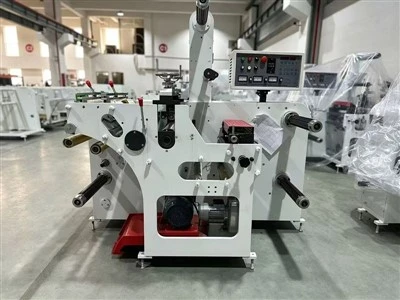
If you’re thinking about setting up a remote-controlled Hologram PP display—whether it’s for a retail store, event, or even a hobby project—hit me up. We can walk you through what kind of panel works for your space, help you pick a controller that’s not overcomplicated, and even send a test sample so you can mess with it before you commit. No fancy sales pitch, just real advice from someone who’s been in the trenches with these panels for years.
Wax Resin Ribbon References:
- "Holographic Projection Technology: Current Applications and Future Directions," Journal of Display Technology, 2021
- "Low-Power Wireless Modules for Portable Display Systems," IEEE Transactions on Consumer Electronics, 2022
- "Remote Control of Holographic Displays: Best Practices for Event and Retail Deployment," Event Tech Journal, 2023
China Lisontec New Material Co., Ltd.
We are one of the most professional hologram pp manufacturers and suppliers in China, also support customized service. As we have world-leading production equipment and strong manufacturing capabilities, we warmly welcome you to wholesale bulk hologram pp made in China here from our factory.
Address: 8-107, Xianlin Valley, Qimin West Road Qixia, Nanjing, China
E-mail: info@lisontec.com
WebSite: https://www.lisontec.com/
